Import/export in OpenAPI format
Mockoon supports imports in both OpenAPI v2 (Swagger) and v3 formats. Environments can be exported to OpenAPI version 3.
Import an environment from an OpenAPI v2 or v3 JSON/YAML file
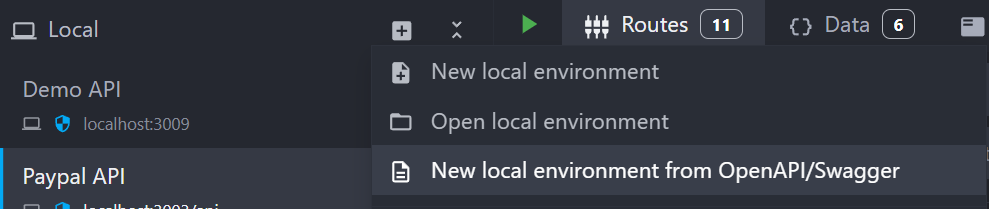
To import an environment from a file, open the Environment creation menu, and select New local environment from OpenAPI/Swagger:
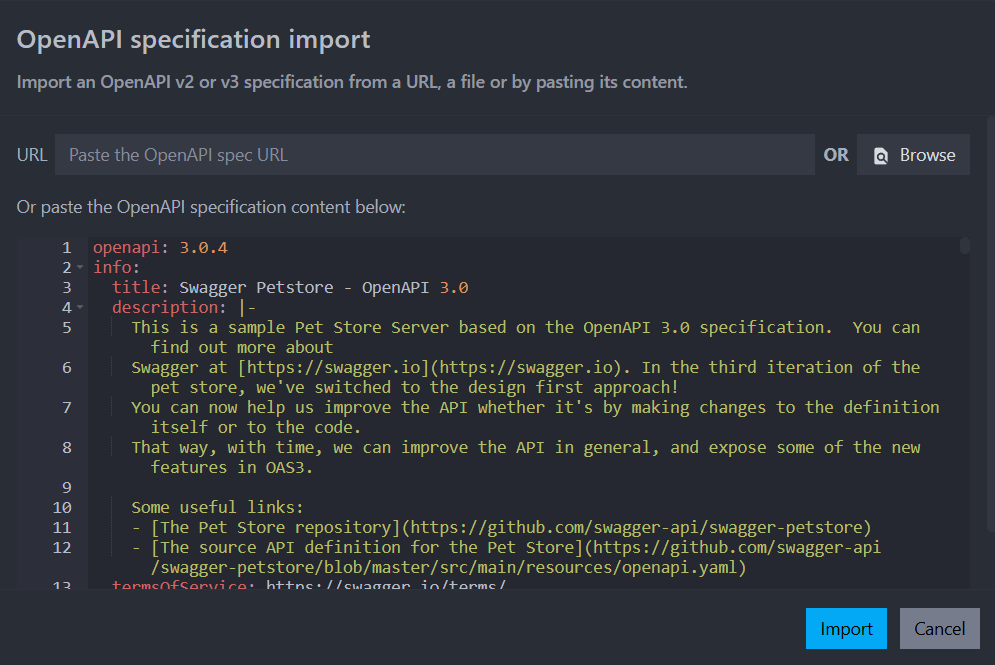
A dialog will open where you can either provide a file path, URL or paste the content of your OpenAPI/Swagger file in JSON or YAML format:
Update/reimport an environment from an OpenAPI v2 or v3 JSON/YAML file
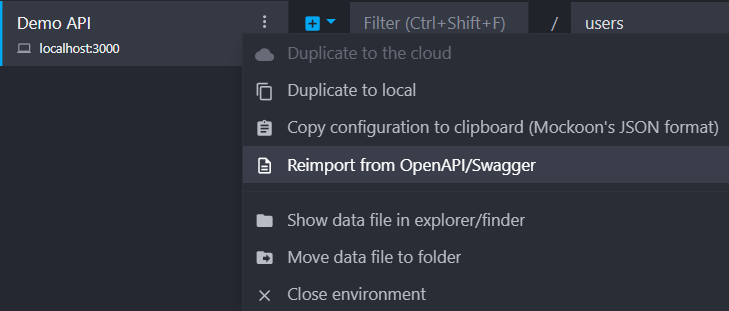
Starting with v9.6.0, you can also update an existing environment with an OpenAPI specification file. To do so, open the Environment context menu, and select Reimport from OpenAPI/Swagger:
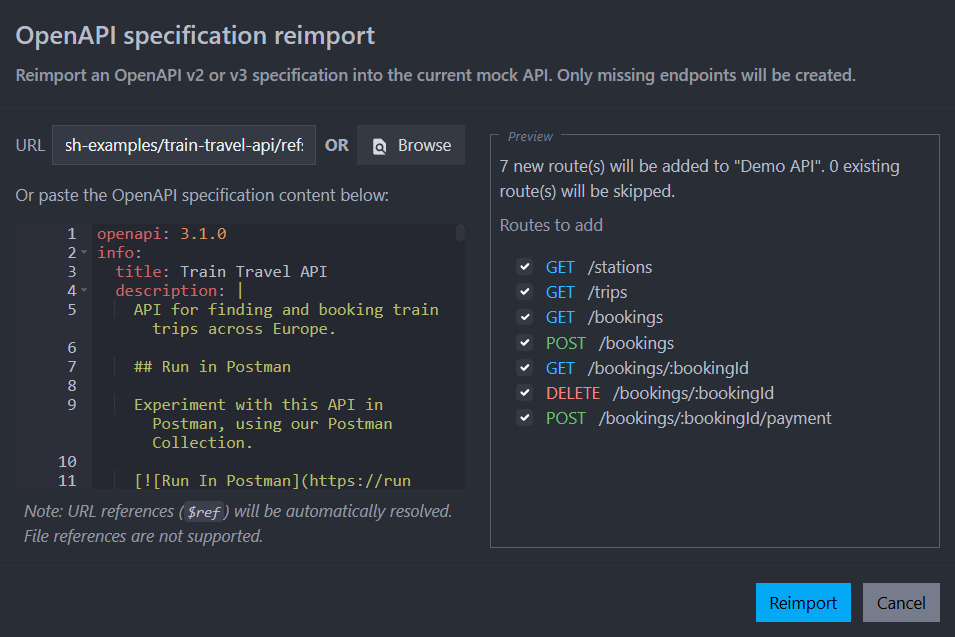
After selecting the file, or copying the content, a import summary will be displayed showing the planned changes to the environment. You can then choose to apply or discard the changes:
The following operations are supported when reimporting an OpenAPI specification file:
- Add new routes to the environment: if the OpenAPI file contains routes (by method and path) that are not already in the environment, they will be added.
- Add new responses to existing routes: if the OpenAPI file contains responses (by status code) for existing routes that are not already in the environment, they will be added.
No existing routes or responses will be modified or deleted when reimporting an OpenAPI specification file.
Export an environment to an OpenAPI v3 JSON file
To export an environment to a JSON file, use the Export Current Environment to OpenAPI commands from the command palette:

Compatibility
Compatibility between the OpenAPI specification and Mockoon's features is only partial and detailed in the next article.