Import/export in OpenAPI format
Mockoon supports imports in both OpenAPI v2 (Swagger) and v3 formats. Environments can be exported to OpenAPI version 3.
Import an environment from an OpenAPI v2 or v3 JSON/YAML file
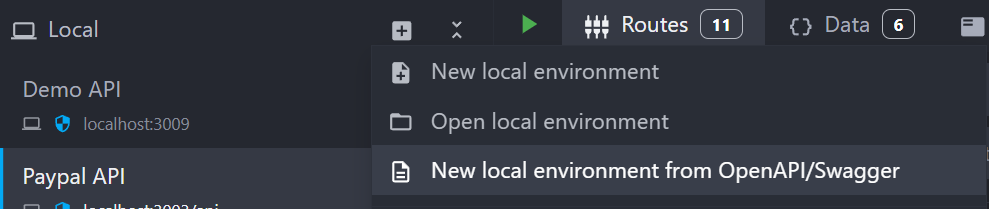
To import an environment from a file, open the Environment creation menu, and select New local environment from OpenAPI/Swagger:
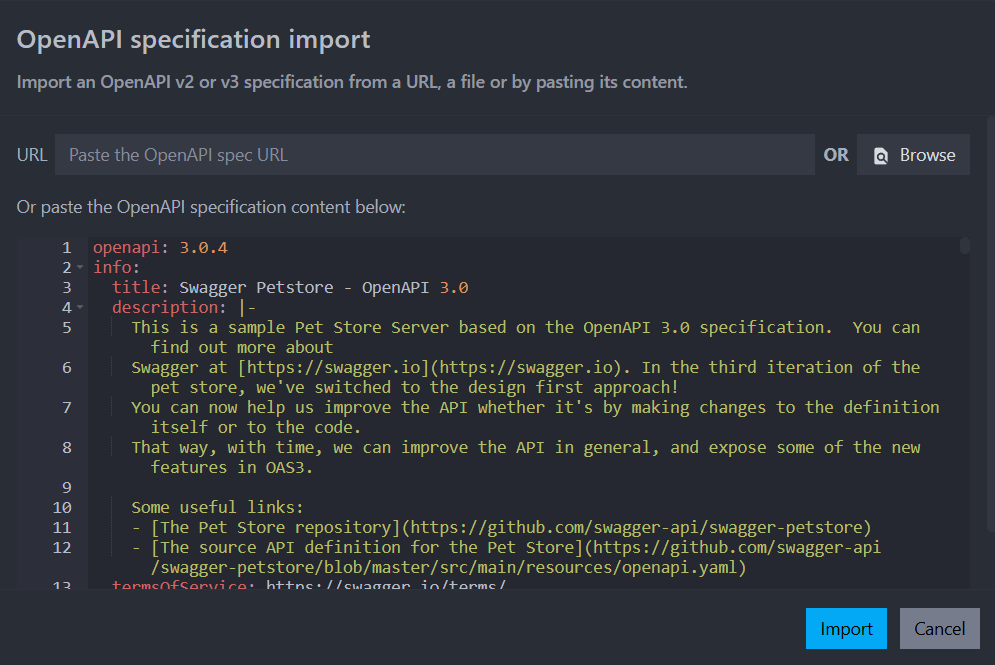
A dialog will open where you can either provide a file path, URL or paste the content of your OpenAPI/Swagger file in JSON or YAML format:
Export an environment to an OpenAPI v3 JSON file
To export an environment to a JSON file, use the Export Current Environment to OpenAPI commands from the command palette:

Compatibility
Compatibility between the OpenAPI specification and Mockoon's features is only partial and detailed in the next article.