Data synchronization and team collaboration
Mockoon Pro allows you to synchronize your mock APIs, share them with your team, and collaborate in real time. This feature is available in both the desktop application and the embedded web application.
Remote vs local environments in the desktop application
The Local list contains environments stored on your machine. They are not synchronized with your Mockoon Pro instance.
The Remote list contains environments stored on your Mockoon Pro server, with a local copy kept on each client machine. You can duplicate a local environment to remote or convert a remote environment back to local.
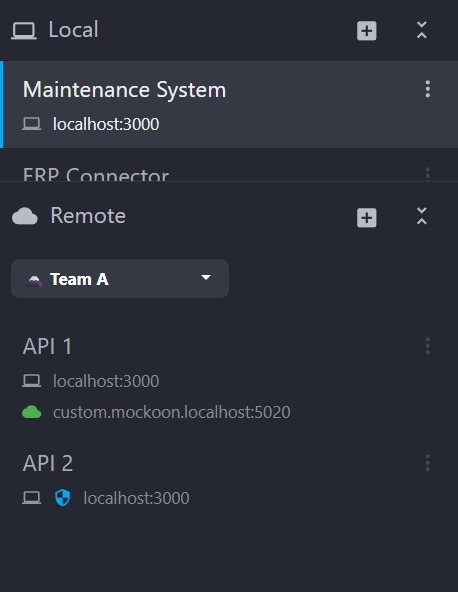
The embedded web application has no local environments and displays a single Remote list.
Managing your remote environments
Create a remote environment
There are multiple ways to create a remote environment. In the desktop application, use "Duplicate to remote" in a local environment's context menu, or select "New remote environment" from the Remote menu.
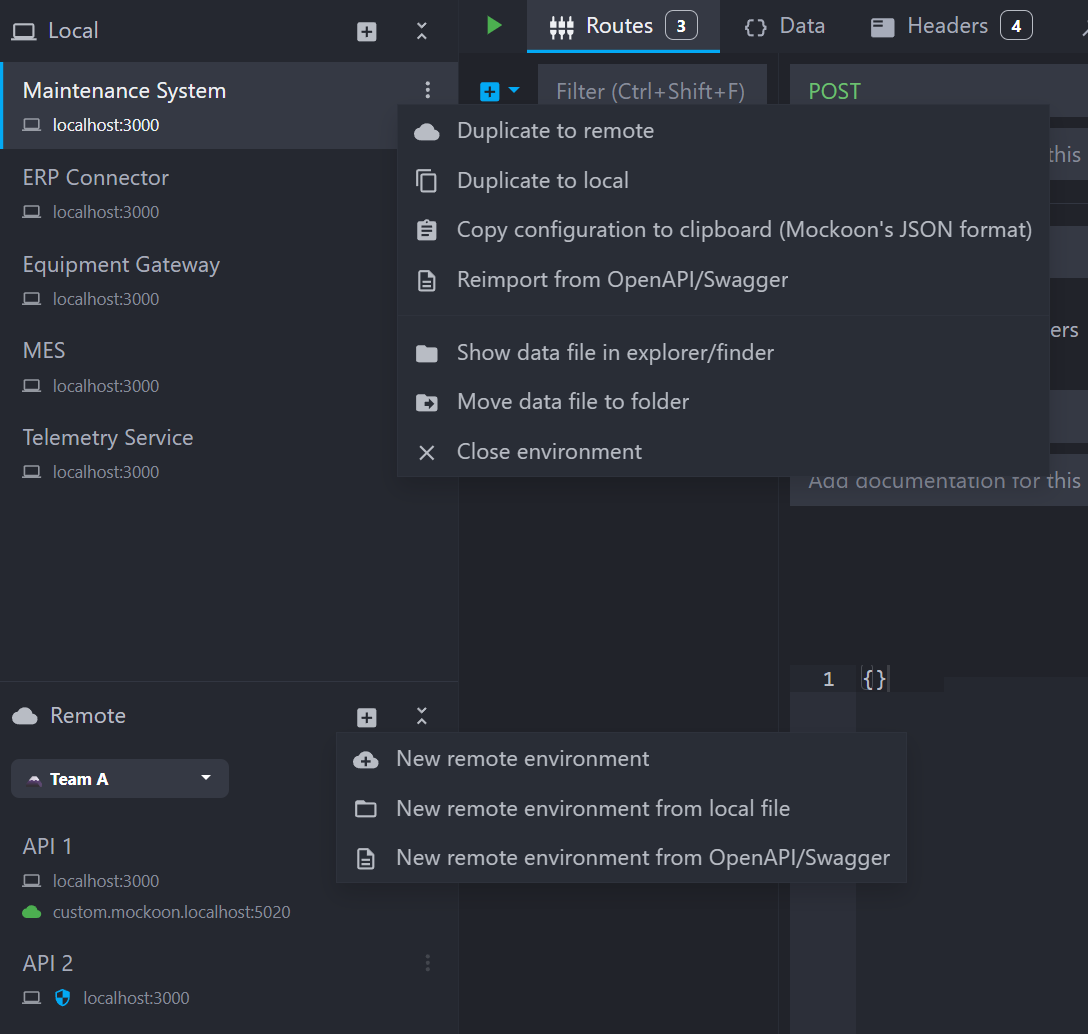
The new remote environment is stored on your Mockoon Pro instance and synchronized to a local copy. It is assigned to the selected workspace and becomes available to the members of that workspace.
Remove a remote environment
In the desktop application, open the environment's context menu in the Remote list and select "Delete from remote and convert to local" or "Delete from remote and close". In the web application, select "Delete".
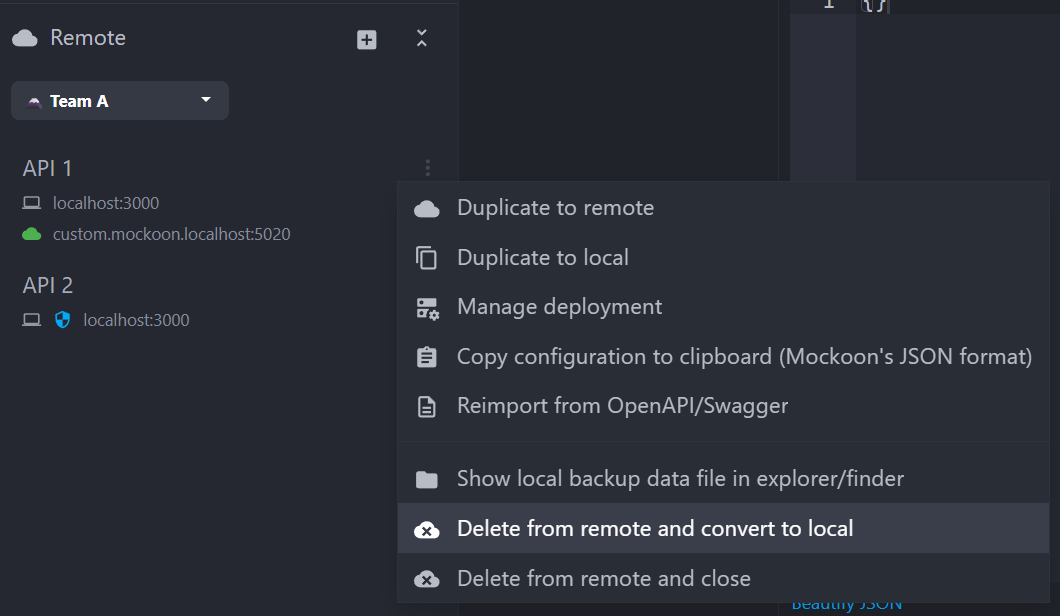
Converting an environment to local permanently removes it from the Mockoon Pro server and converts it to a local environment for the members of its workspace.
Team collaboration and conflict handling
This feature is designed to allow multiple users to work on the same environment at the same time. The application will handle conflicts on a last-write-wins basis, but many changes can be made simultaneously without conflicts, for example:
- Editing different properties of the same entity (route, response, etc.).
- Adding the same kind of entity (route, response, etc.) or reordering them.
- Deleting different entities.
However, some parts of the environment definition cannot be edited simultaneously and are considered as a single entity that cannot be merged and will be synchronized as a whole. Here are some examples:
- The environment's or route response's headers list.
- The route response's rules or callbacks list.
- The various editors content (inline body, data bucket, callback, etc.).
Presence indicators are displayed in the application to show who is currently connected and editing an environment. They are visible in the Remote environment list, indicating if a user is editing an environment (left side of the image). Additionally, presence indicators are shown at the top of the application, displaying the users currently connected to the Mockoon Pro instance (right side of the image).
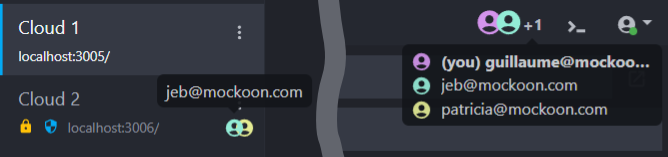
💡 You can customize your display name in the application settings to make it easier for your team members to identify you.
Synchronizing after being offline
Mockoon's synchronization and collaboration feature is designed to work while being online. Offline editing is disabled.
When coming back online after being offline, the application will automatically pull the latest version of the remote environments.
Disconnection reasons
If you are disconnected from the Mockoon Pro instance, the application displays a warning in the Remote environment list as an orange or red cloud icon. Hovering over the icon displays the reason for the disconnection, such as an incompatible version. You can also click the icon to reconnect:
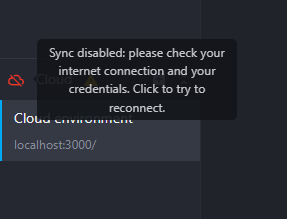 Tooltip showing a regular disconnection
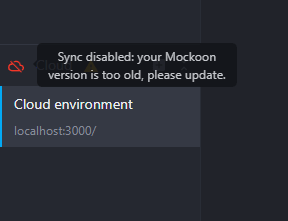 Tooltip showing a disconnection due to an incompatible version
Major versions migrations
Future major versions of Mockoon may introduce breaking changes to the data model of your environments. Pulling a new Mockoon Pro image and restarting the container automatically migrates all synchronized environments before the application accepts connections. No user needs to open the desktop or embedded web application to trigger the migration.
After a major upgrade, all desktop clients must be updated to the same major version as the Pro server. Older versions can no longer synchronize with the migrated instance. The embedded web application is shipped with the server and already uses the matching version.
Coordinate major upgrades with your team, back up the persistent storage, then update the container and desktop clients. See the self-hosted update guide for backup and migration details.
Unsupported features
The data synchronization does not support the following features:
- External files linked to the environment are not uploaded and served (e.g. environment's certificates or files used in the "File" response body type). File serving is generally not supported in remote environments and linking files is disabled.